Angelman Strong
Toolbox

Here you will find tools and tips for Angelman Strong events. Whether this is your first event or your 10th, spreading the word to friends is key! Let people know why you support the ASF. Start by talking about the individual with Angelman syndrome in your life and how the ASF supports them and their family.

Fundraising Incentives
All 2026 Angelman Strong sites and teams are eligible to win prizes.  See more about incentives.
Chance for Grand Marshall

Teams that raise $1,500+ by May 1

PRIZE: Be entered for a chance to be named the Grand Marshall at their local event. 

Win A Fat Head

Teams that raise $3,000 by April 3

PRIZE: Win a Fat Head with a pic of your individual with AS to show off at your event.

Soaring Stars

Raise $5,000 by May 1

PRIZE: Be entered to be an ASF Soaring Star & receive VIP benefits at the at the ASF Family Conference. Ten winners.

Top Fundraising Team

Highest fundraising total by May 1

PRIZE: Celebrate with special guest & emcee, Amanda Moore, at your Angelman Strong location.

Letters, Messages & Ideas

Find some inspiration with these tips and message examples. Personalize them & share with your friends & family via email or social media!

Letter of Support

Click File > Make a Copy
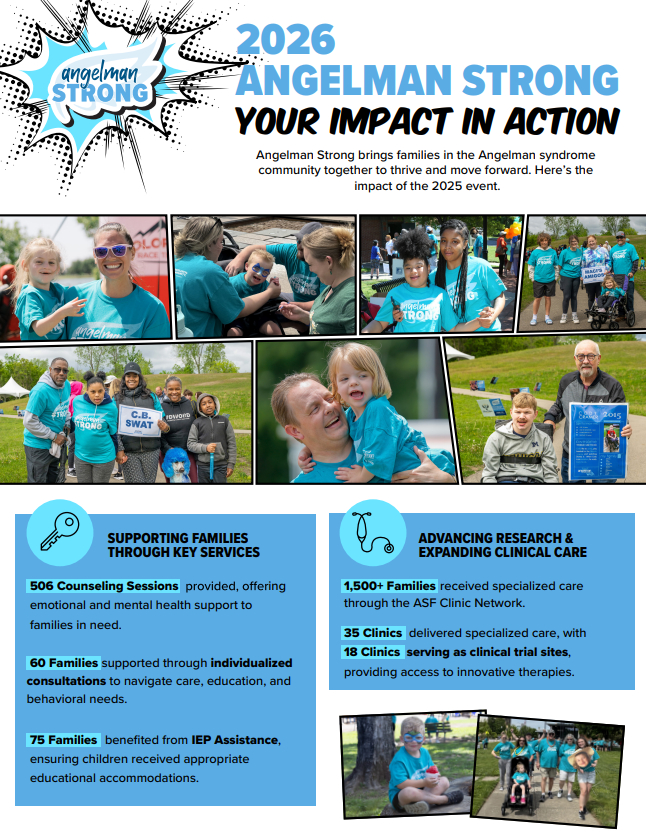
Impact Sheet

How participation and fundraisng for Angelman Strong makes an impact
Virtual Participation Guide

Tools and resources to participating in Angelman Strong as a virtual participant
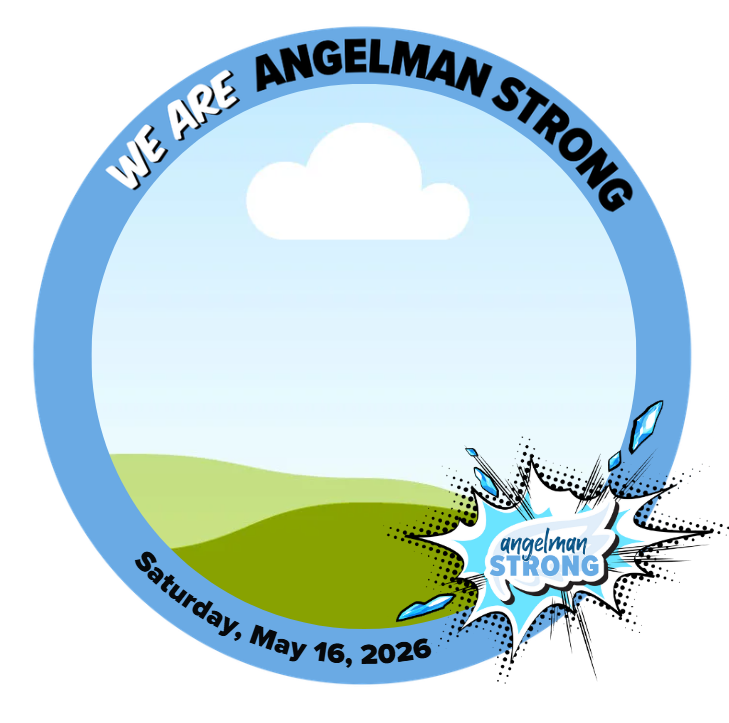
Canva Templates

Click the images to use the template in Canva.

How to Personalize in Canva

  1. Select a template below to open the template in Canva. (Canva is a free-to-use online graphic design tool.)

  2. Click the button below it to Use template for a new design.

  3. Watch a short tutorial for more.

Facebook Profile Frame
Social Media Graphic
Logos

Do not change the shape, color or orientation of the logos. 

Angelman Strong Sponsorship

Know someone who would be interested in sponsoring Angelman Strong? Sponsorship benefits include ways to promote businesses within the local community while showing support of local AS families.

Find information and resources below. Contact your ASF Walk coordinator to discuss opportunities.

Need a another resource? Contact Amy Friel – webmaster@angelman.org.

Registration & Fundraising FAQs

Below, find tips and instructions for registration and using the registration and fundraising platform.

Registration and Teams
  1. From the list of Angelman Strong locations, select the location you will attend. 
  2. Click Register.
  3. You need to either join an existing team or create a team. If you are signing up as one person – no problem! You can be a team of 1!


See more information about joining or creating a team.

Join a team  |  Create a team

If you still have questions, contact webmaster@angelman.org

  1. After registering, you will receive a confirmation email. Click the link in the email to visit your page. If you do not already have an account, you will be prompted to setup a password.

    NOTE: If you registered for an ASF event or GoFundWings page after October 2022, then you already have an account. 

  2. On your fundraising page, click Login in the top right corner of your screen. If you are on a phone, click the menu symbol, then Login.
  3. Once you are logged in, click Manage to access the customization tools.

See more information on editing your page.

  1. When viewing your page on a phone, look to the right of your name and click Share.
  2. Four options appear. Select Text.
  3. The link to your page appears in a text. All you have to do is add recipients and message.

TIP: Send the link via a group text. Then as friends donate, respond to the person via the group chat. Thanking them publicly will be a gentle reminder to others to donate.

When registering children and others under your own email address, you can access their pages via the confirmation email or your Supporter Profile.

  1. Login to your account from any fundraising page. (You can follow the link from the confirmation email.)
  2. In the top right, click the icon or initial of your name and select My Profile from the menu.
    If you are on a phone, select the menu icon first.
  3. Here you can see all the pages of the people you registered. Click View to go to the page you want to customize. Then click the Manage button in the top right.

Learn more about your Supporter page.

The team captain has access to customize the team page.

  1. If you are the captain, log into your fundraising account.
  2. Click the Manage button at the top of your Team page.
  3. Here you can customize the message and photo for your team page.

See more information on editing a team page.

To a join a team that is in a different location than where you will walk:

  1. Select the Angelman Strong location where the team is based.
  2. Join the team and Register as a Virtual Participant.
  3. Contact the coordinator for the location you will attend and let them know you will be coming. 
    Find contact information by selecting the location on angelman.org/strong. 

To have cash and checks credited to your fundraising page, send them to the ASF office.

Make sure to include the name of the person or team that you would like credited.

Address:

Angelman Syndrome Foundation
13396 Tegler Drive
Suite 120-#257
Noblesville, IN 46060

If you are an Angelman Strong volunteer, contact your local coordinator to receive a promo code to use for free registration.

If you choose to pay the registration fee, the amount paid will be credited to your fundraising page.